
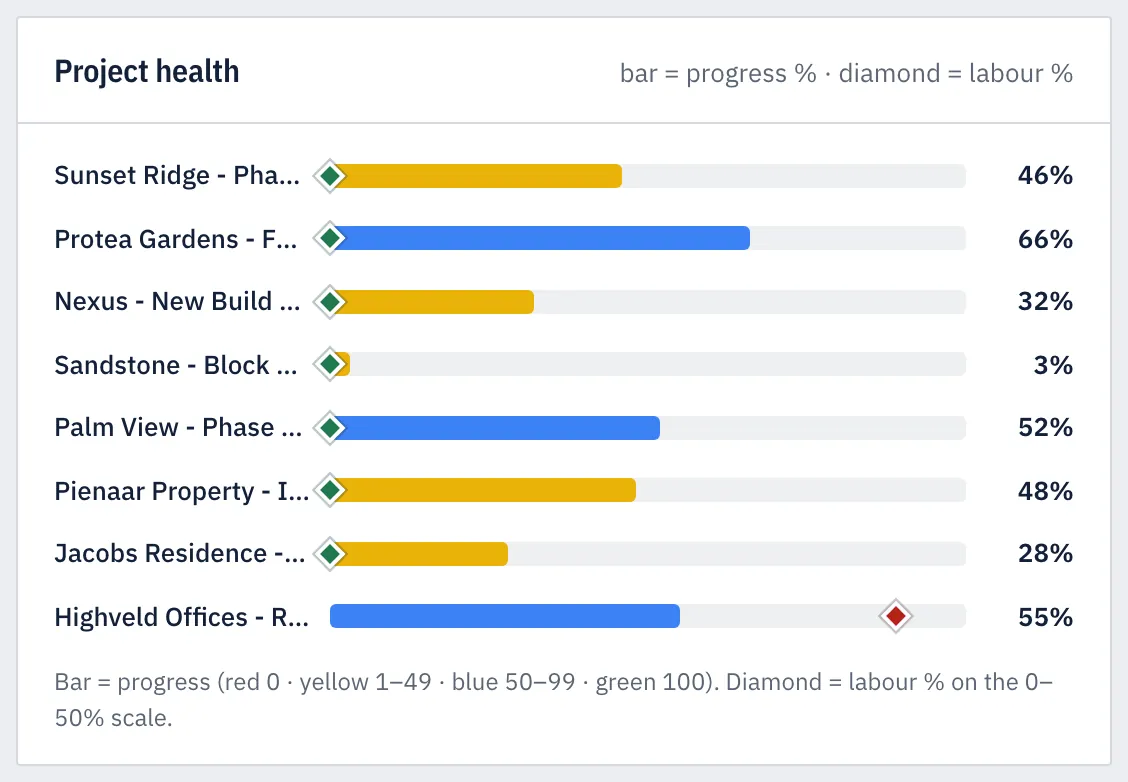
Highveld Offices: Repair & Feature WallsOne job, read left to right, the way the dashboard reads it
Demo job, fictional figures
- Quoted
- R 37,065
- Earned by progress
- R 20,211
- Wages paid
- R 8,970
- Labour %
- 44.4%
Business Master replaces your Excel costing. Your quotes become the costing, your site managers record each day on their phones, and you see labour % on every job, every day, in colour.
Pilots from November 2026Self sign-up opens February 2027
Highveld Offices: Repair & Feature WallsOne job, read left to right, the way the dashboard reads it
Demo job, fictional figures
Most contractors cost their jobs in Excel. The quote lives in one sheet, wages in another, and progress in the site manager's head. The sums get done when the month closes, and that is when a job that slipped in week one finally shows up.
Business Master does the same sums every day, from the people who are on site.
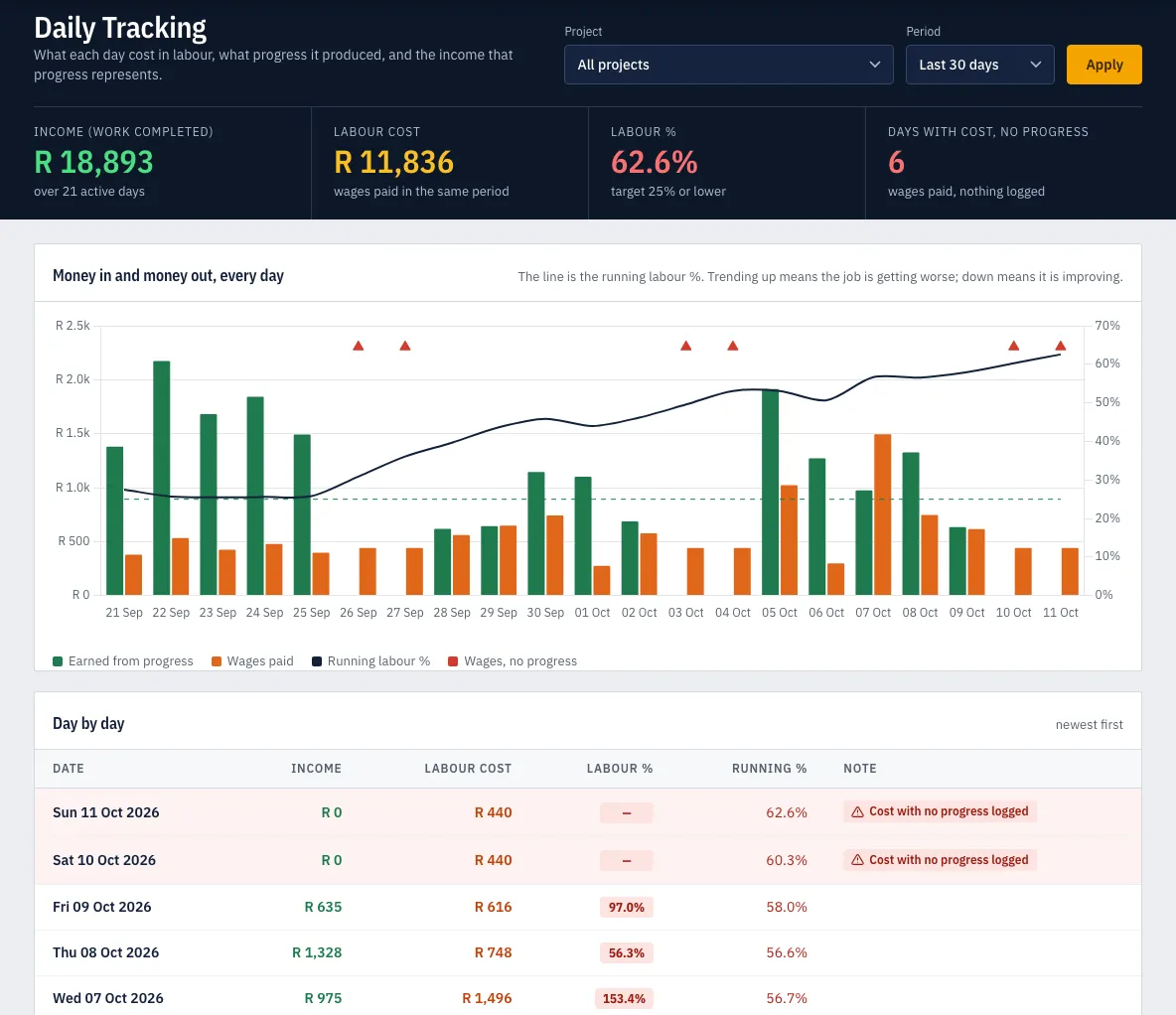
Day 30: the job was over budget
Day 10: it turns red, with most of the month left to act
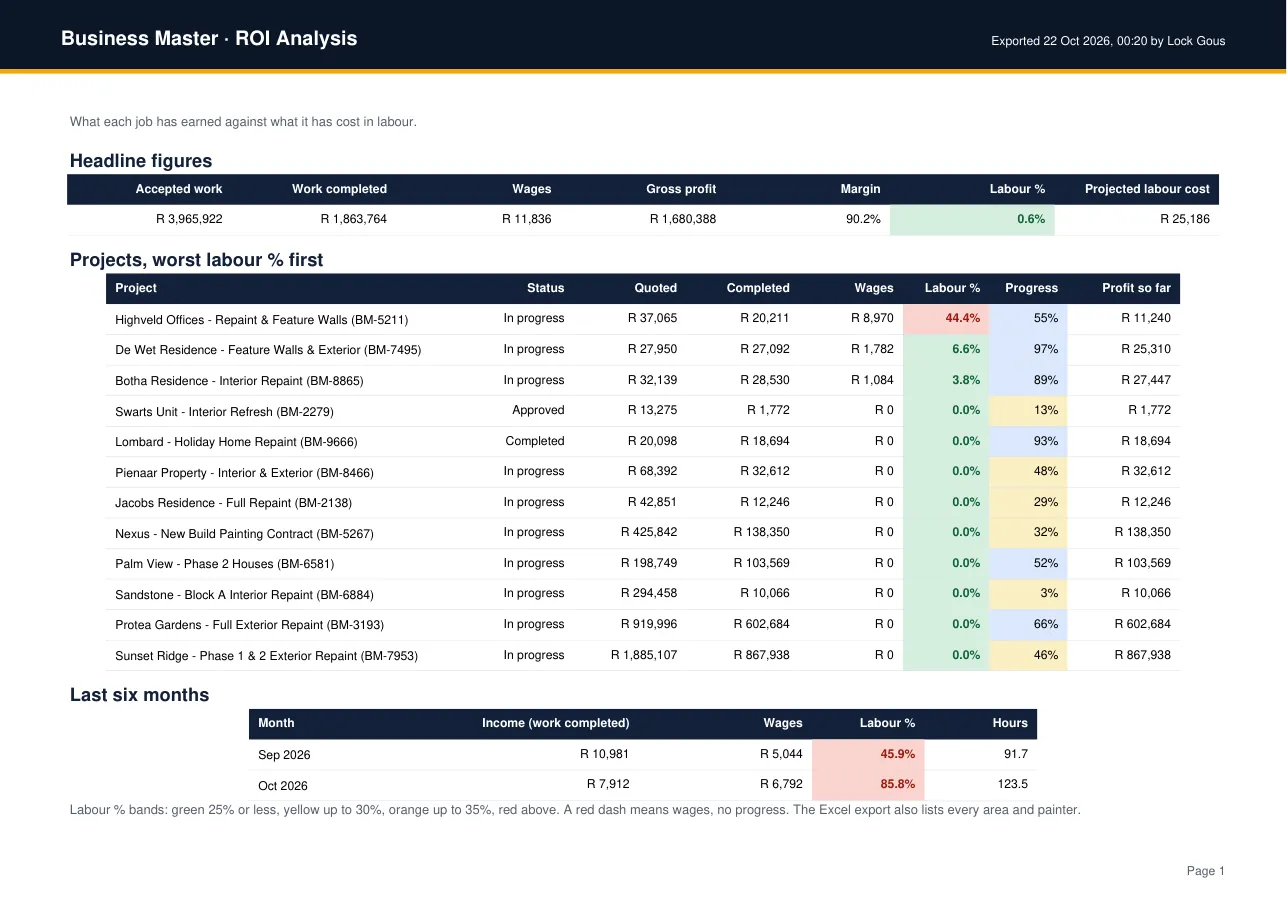
Labour % is the wages you paid divided by the work completed, the income that progress has earned. There is no income without progress, so the two are always read together.
Labour % = wages ÷ work completed × 100
Move the sliders to see how the same job reads. It starts where the demo job above stands.
Wages with no progress show as a red dash, never as 0%: a day that earned nothing is never shown as a good day.
Three places, one set of figures. The quote sets what each task is worth, the site says how far each task got, and the dashboard puts the two against the wages.
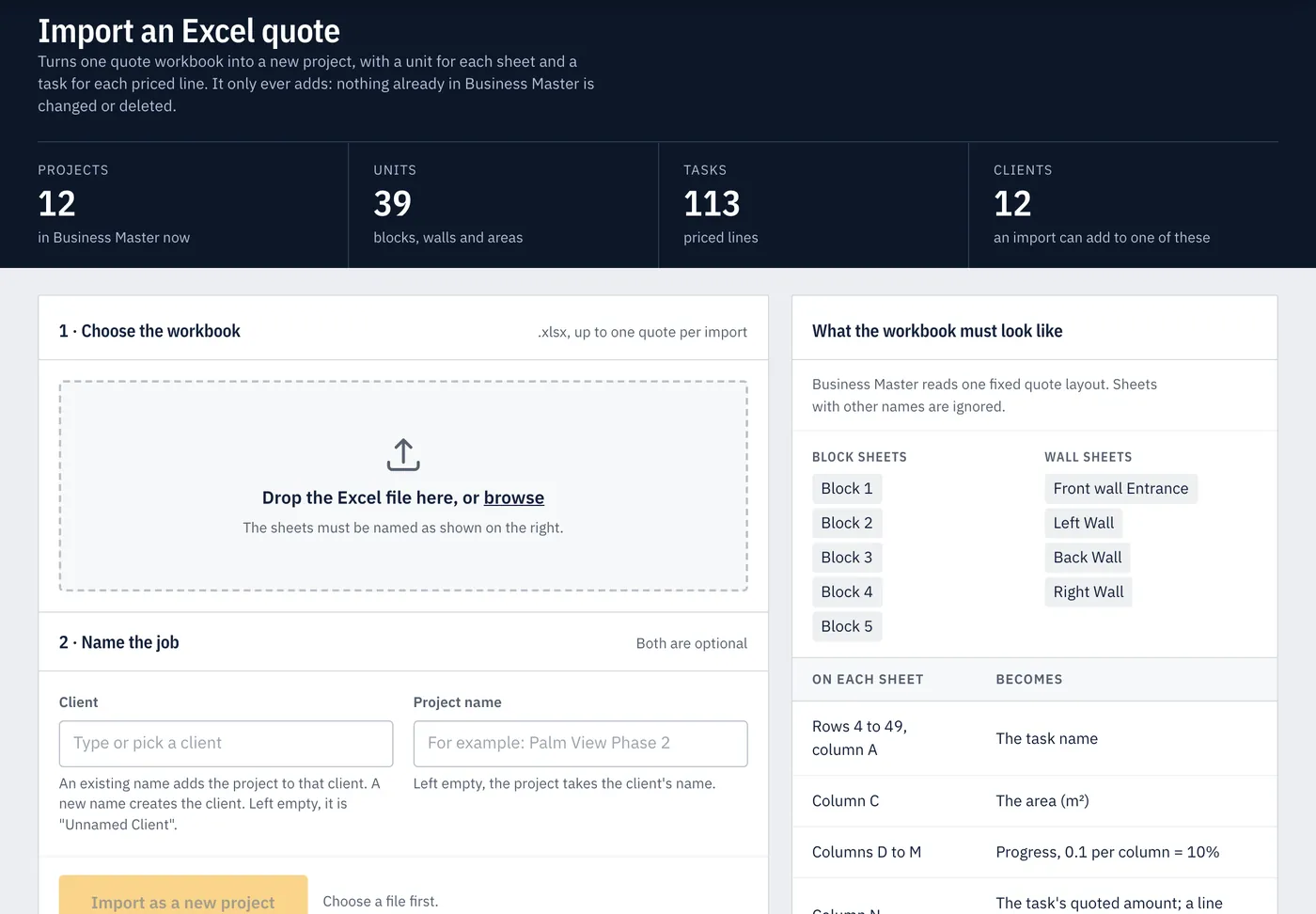
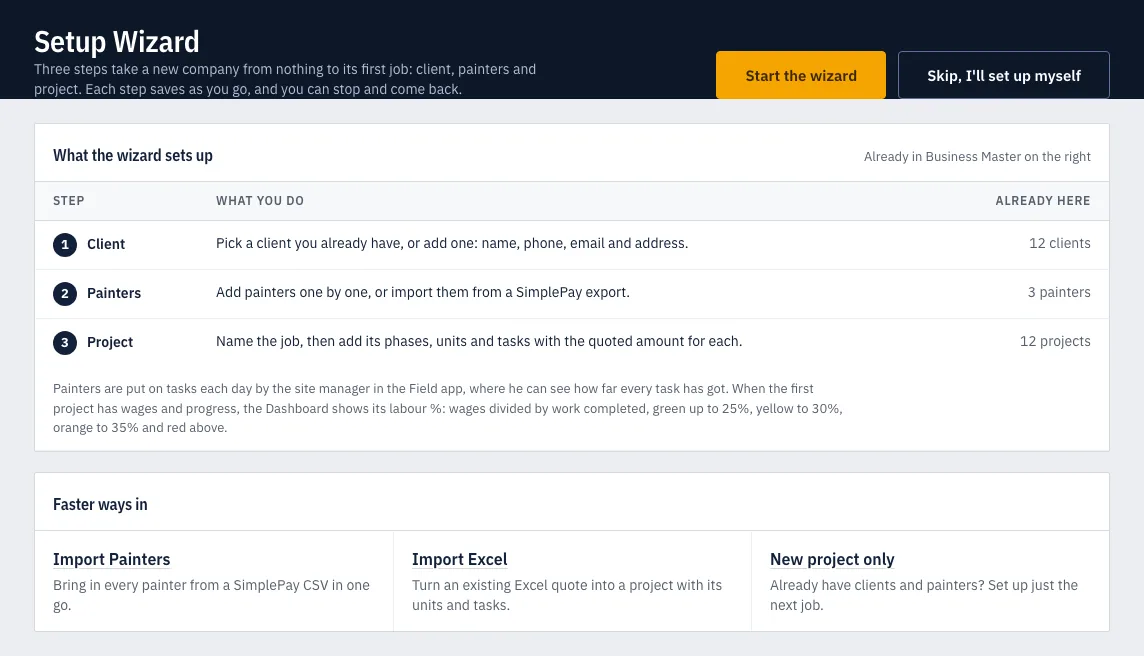
Import your Excel quote, or build the job in the Setup Wizard. Every task carries its quoted amount, so progress on a task is income you have earned.
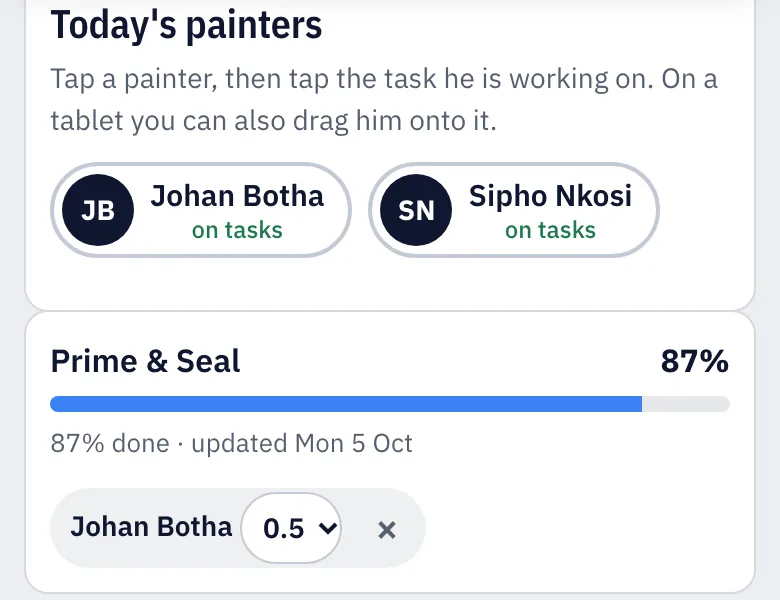
Site managers mark who was on site and put each painter on his tasks, splitting a day where he moved between them. Then they tap in how far each task got.
The office approves the day's timesheet, and that is what writes the wages. Wages and work completed meet as labour %, per job, every day.
The Field app runs on phones and tablets. It is made for site managers and supervisors, not painters, and every screen says which day it is recording.
First thing, from yesterday's evidence: how far each task got. On a Monday, that means Friday. It never waits for today's timesheet.
Present, half day or absent for each painter, and what he is working on. A painter's day can be split across tasks, and it is sent to the office.
Later in the day, if he likes, for today's work. It unlocks once today's attendance has been sent.
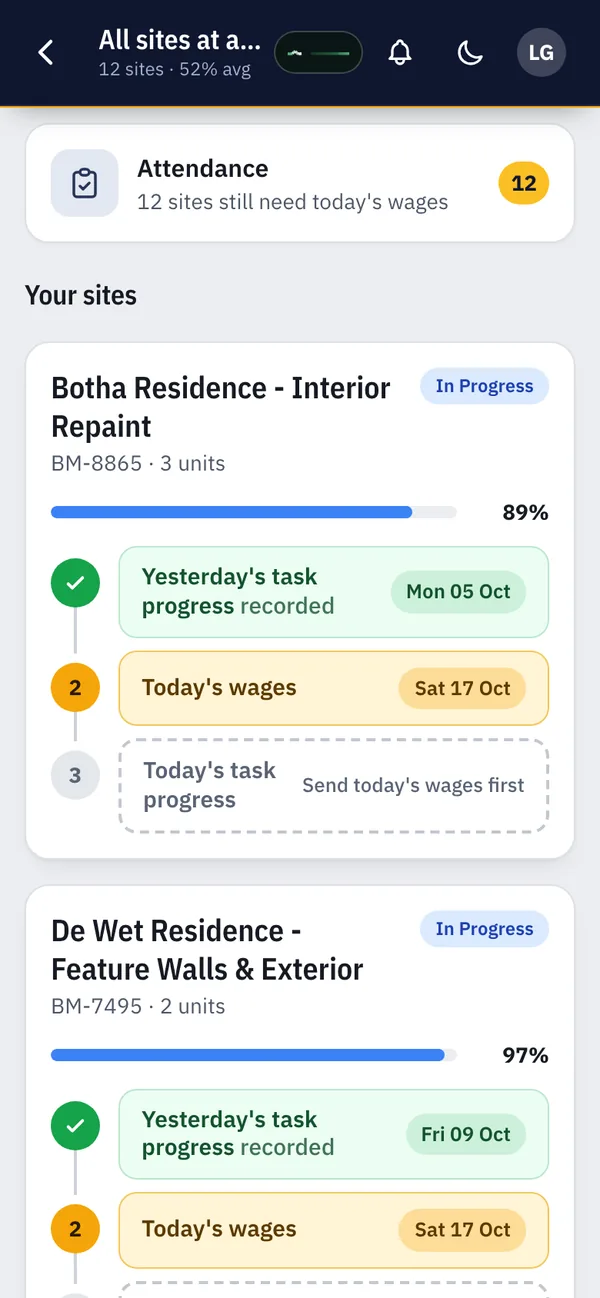
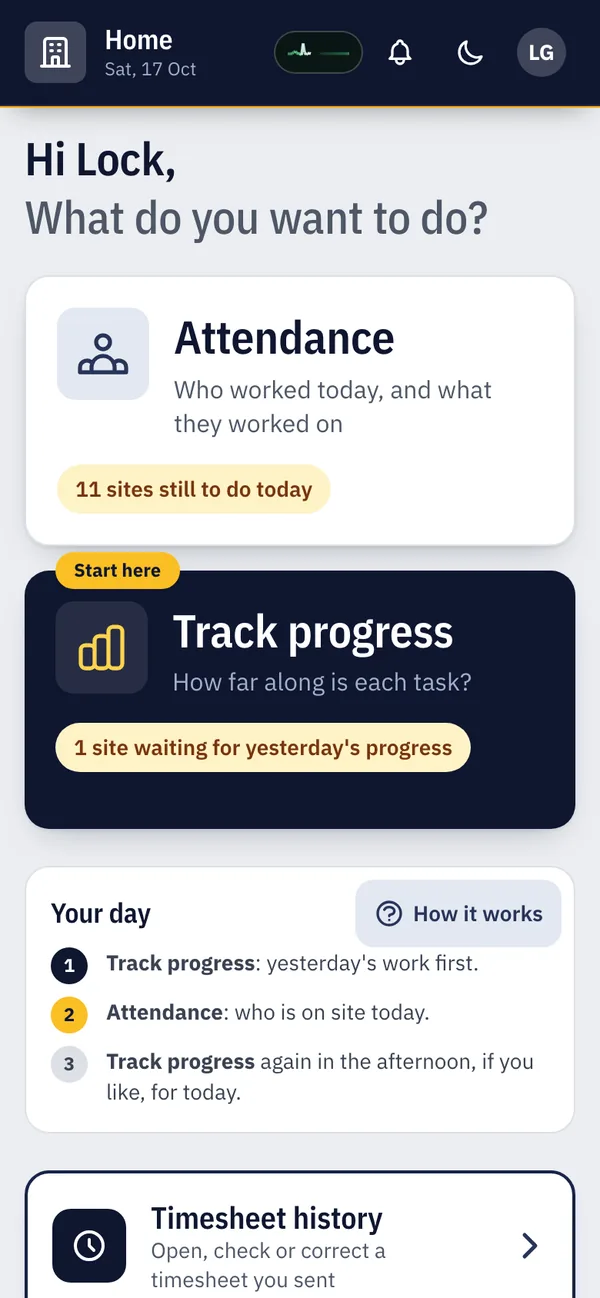
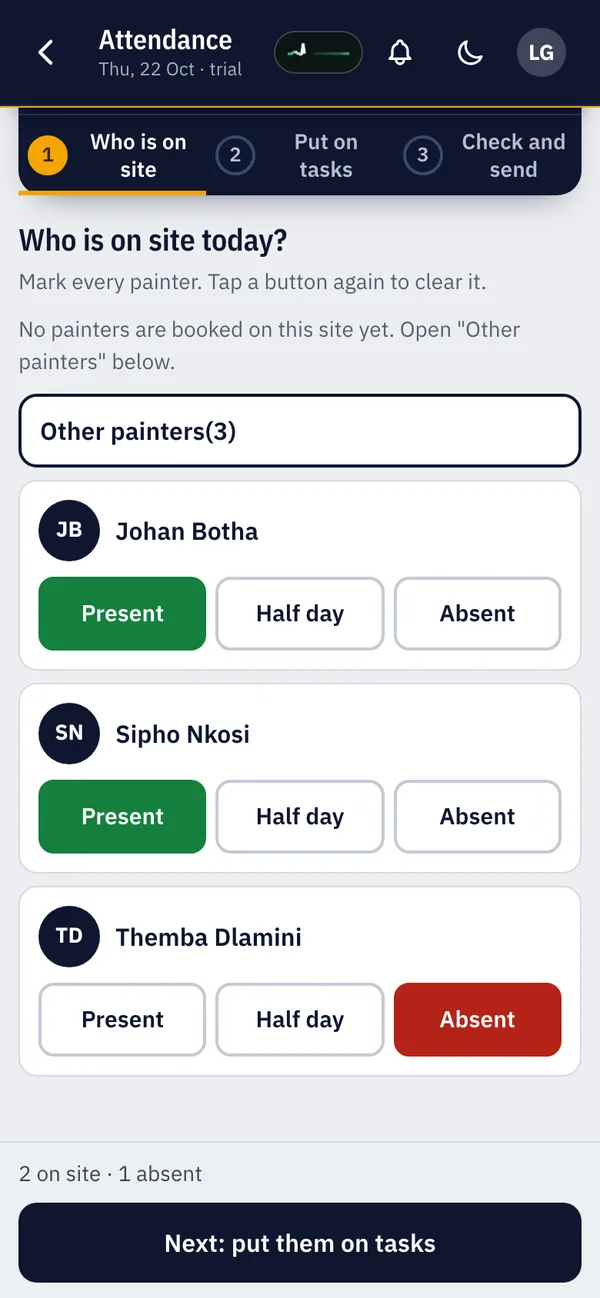
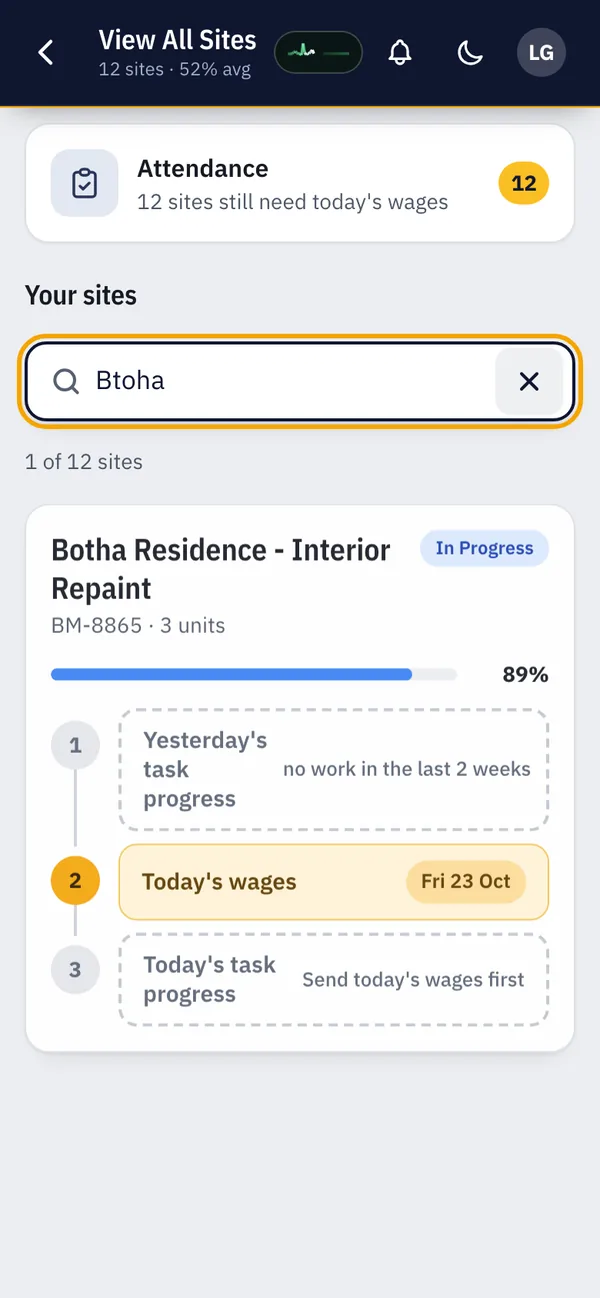
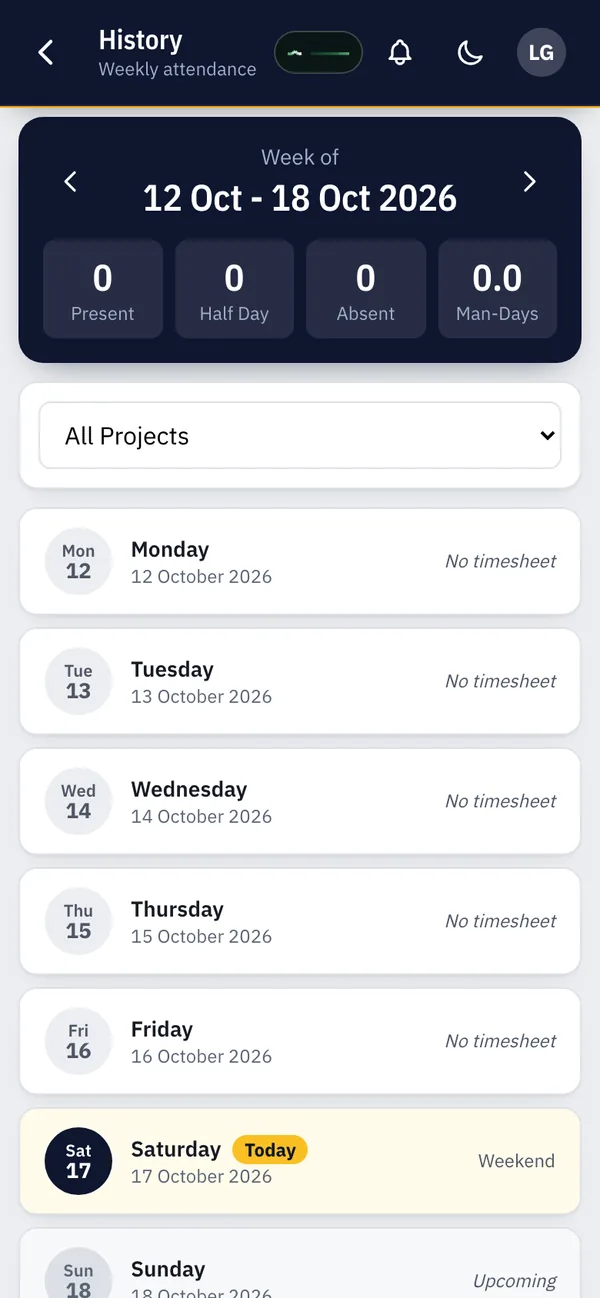
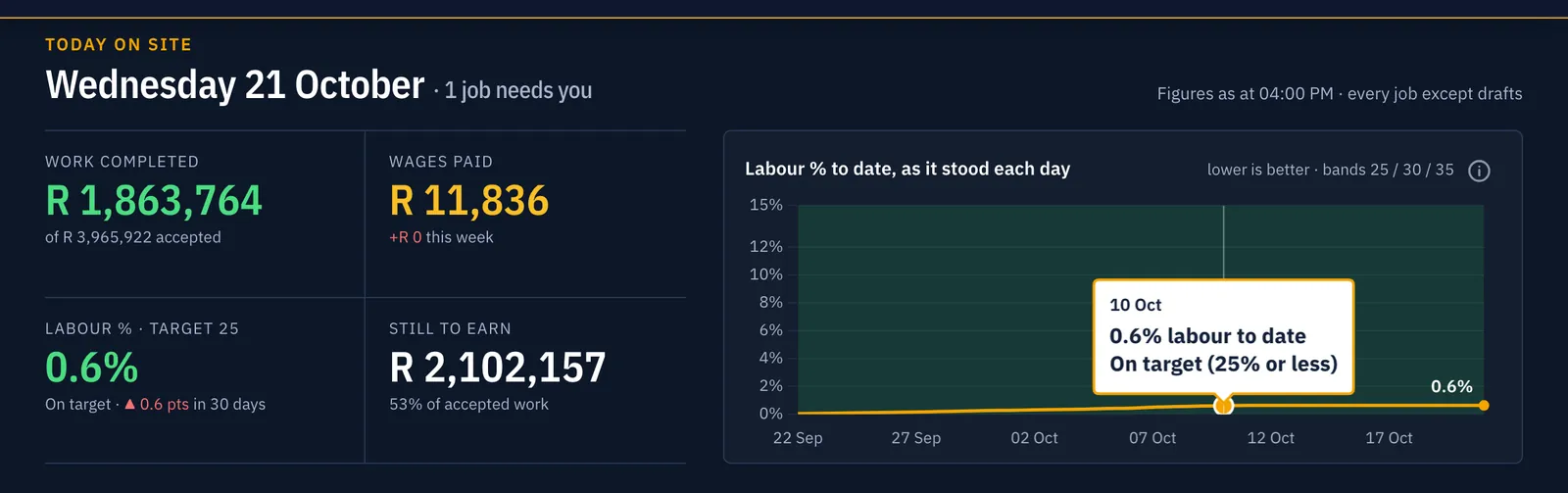
The dashboard opens on today's date and the jobs that need you. Every figure on it comes from the same wage ledger, so it agrees with every report.
Income from progress and wages paid, side by side for every day, with the running labour % on top. A day with wages but no progress is flagged, not hidden.
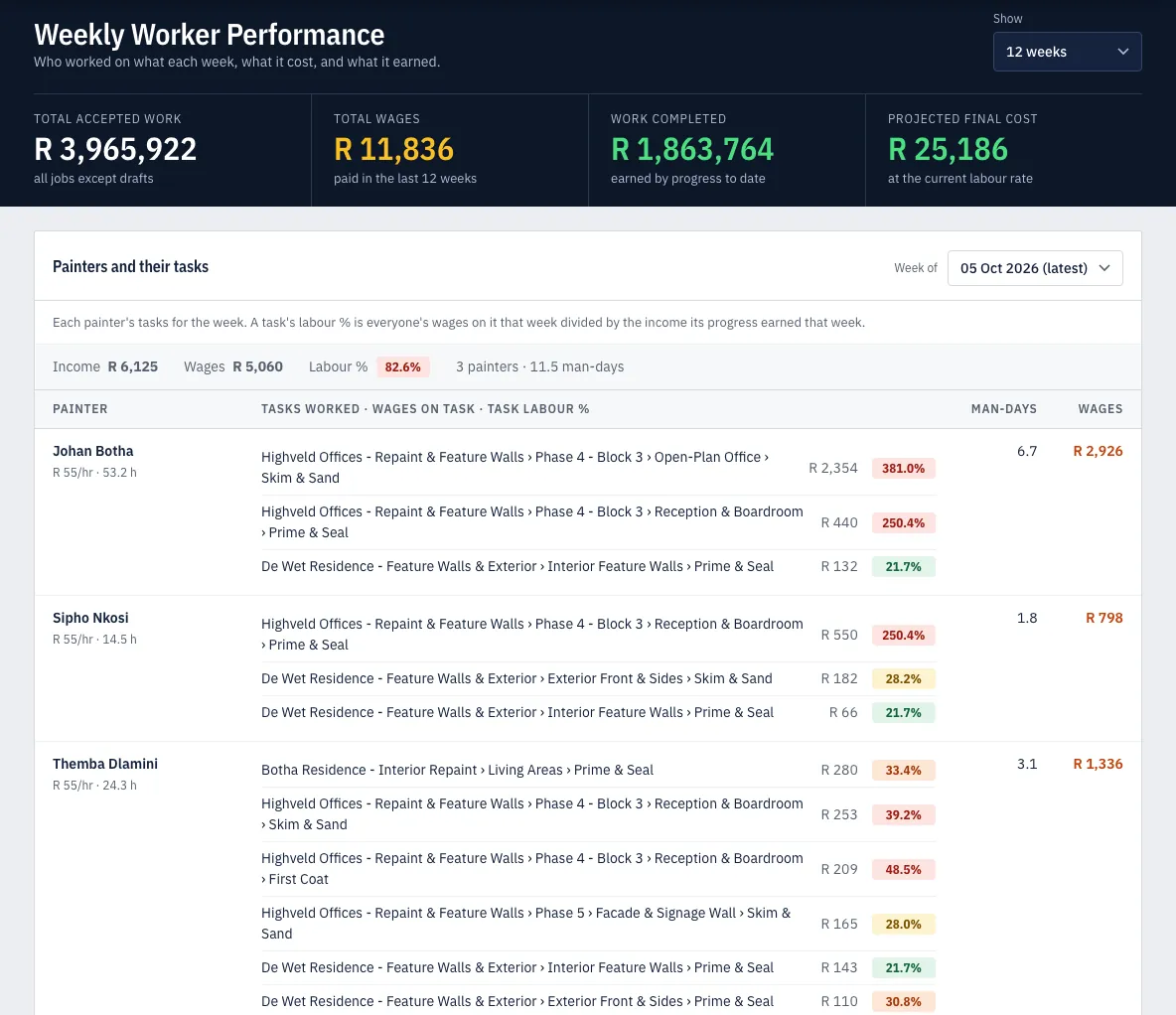
Each painter's own labour % per week, task by task, so you can see who is carrying a job and who is costing it.
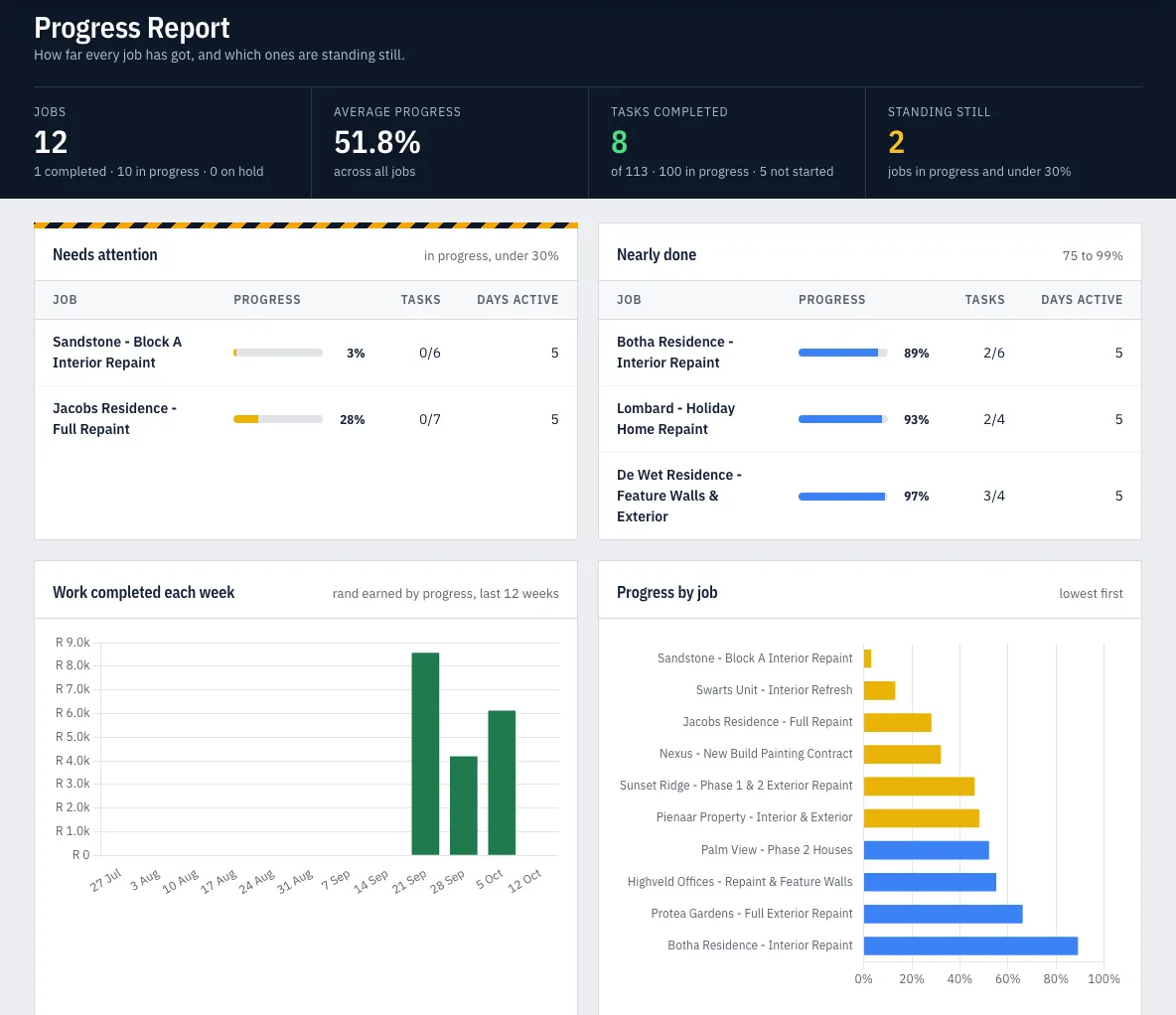
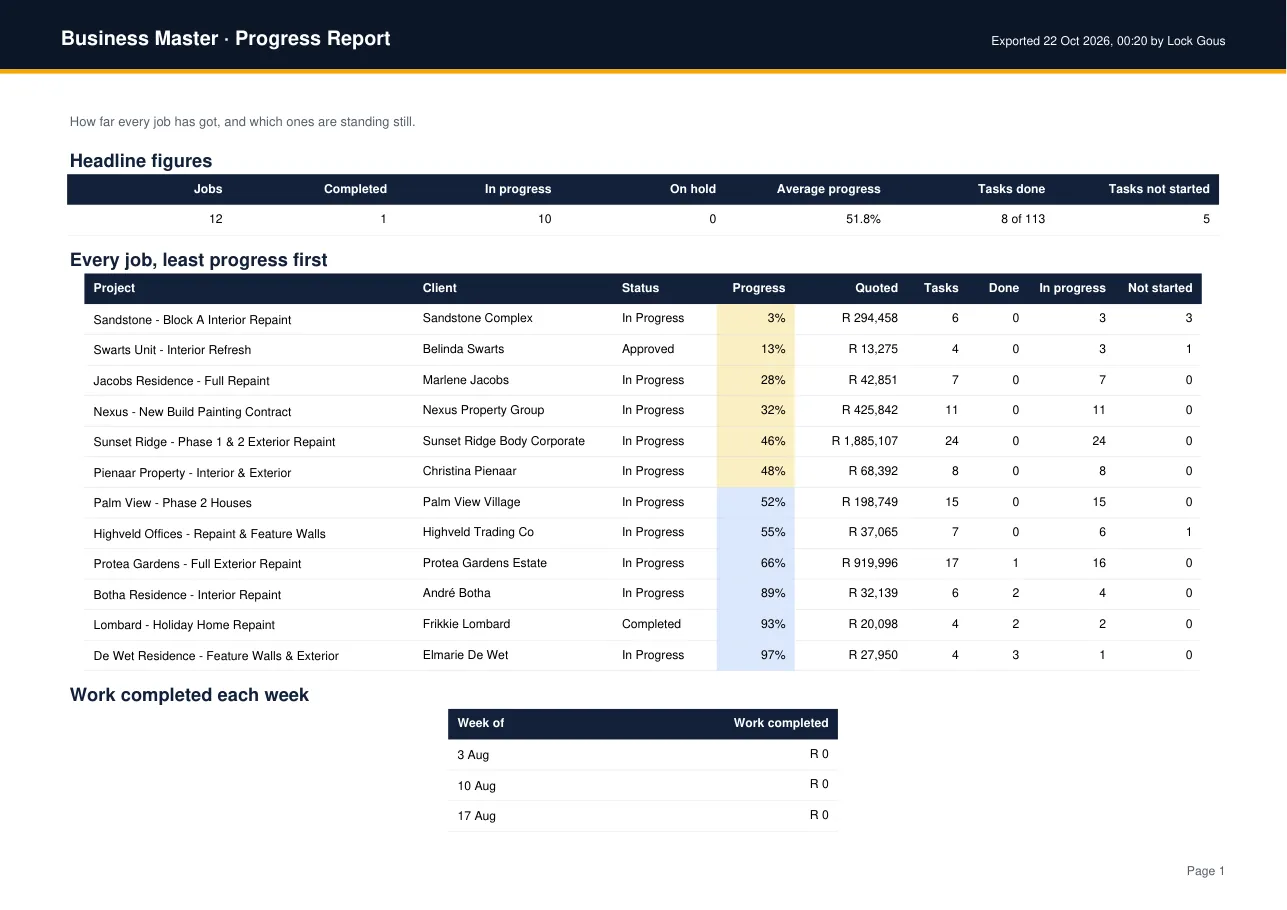
Jobs that need attention, jobs nearly done, work completed each week, and every task with its progress.
Quoted, completed, labour cost, labour % and profit for every job, with the worst first and the best performing jobs below.
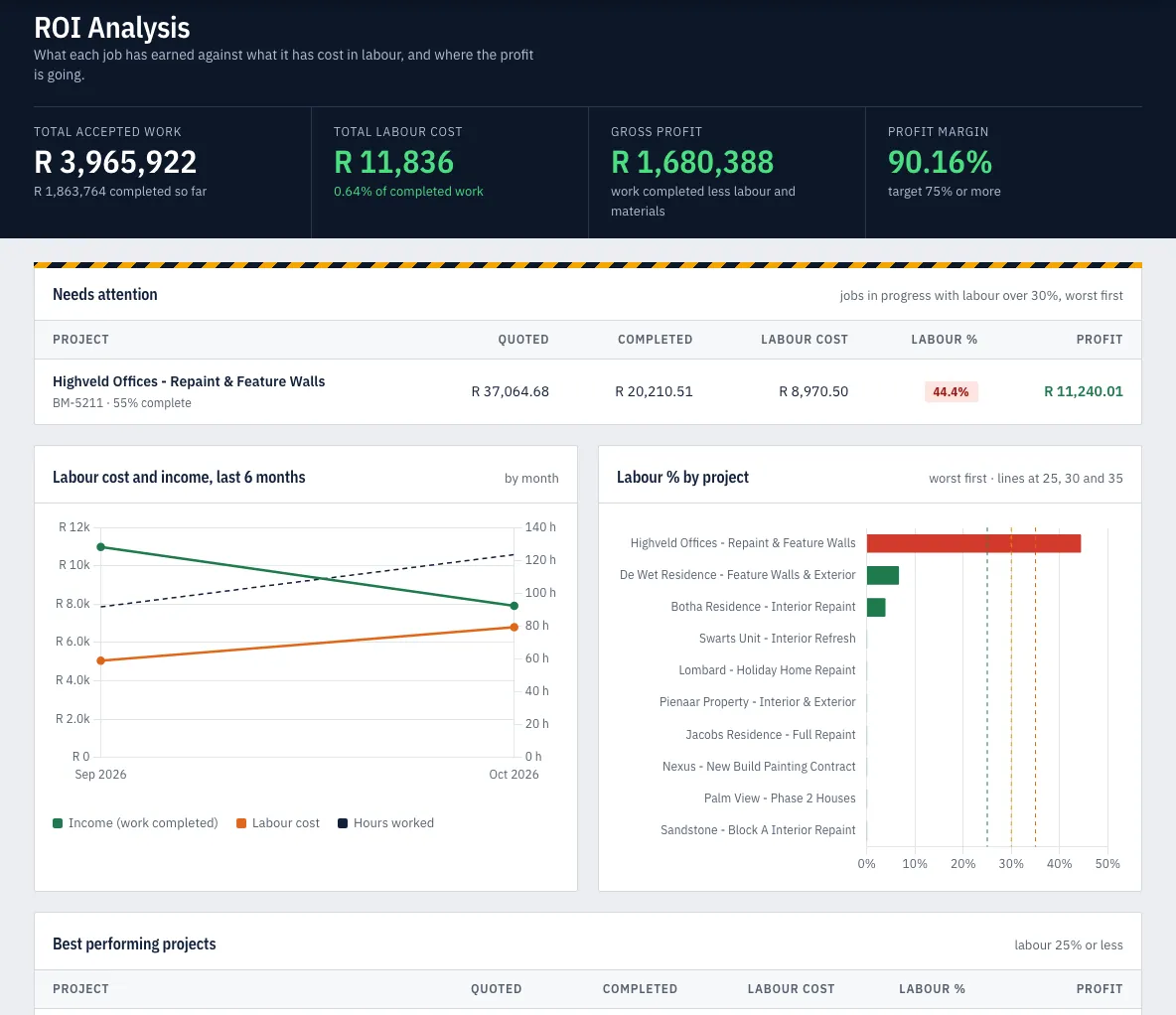
The ROI Analysis and the Progress Report export to Excel and to PDF, with the same figures you see on screen.
You don't retype your business into a new system. Bring in what is already in your files.
Your quotes, wages and margins are the most private numbers in your business. Business Master is being built so they stay that way.
Business Master is not a mock-up. PaintEmpire runs its painting jobs on it every day: site managers record attendance and progress in the Field app, and the office reads labour % on the dashboard.
What you see on this page is the product they use.
The first contractors to join get a fixed founding price. There is no public price list yet, so ask us and we'll tell you what it is for a business your size.
Painting and construction contractors who quote their jobs, run site teams, and want to know whether each job is making money while it is still running.
Total wages divided by work completed, times 100. Work completed is the income your progress has earned against the quote. It is shown in colour bands: 25% or less is green, up to 30% yellow, up to 35% orange, and above 35% red.
No. The Field app is for site managers and supervisors. Painters appear in Business Master as attendance, wages and the tasks they worked on.
Yes. Excel quotes can be imported as projects with their units and priced tasks, and painters can be imported from a SimplePay export. The Setup Wizard walks you through the rest.
He opens Timesheet history in the Field app, taps the day, corrects it and sends it again. The office approves timesheets before the wages count.
The Field app runs on phones and tablets. The owner's dashboard and reports are made for desktops, laptops and large tablets.
Yes. Each company that joins gets its own private, separate copy of Business Master and its data. The app has also been through a security review.
Founding customers get a fixed founding price. We don't publish a price list yet; book a demo or email us and we'll tell you.
Pilots with founding customers run from November 2026. Self sign-up opens in February 2027; join the waiting list and we'll tell you the day it opens.
Book a demo and we'll walk you through Business Master on demo data. Or join the waiting list, and we'll email you when self sign-up opens in February 2027.
We'll reply by email to set a time.
We'll reply to to set a time that suits you.
For self sign-up in February 2027. One email when it opens.
We'll email when self sign-up opens in February 2027.
Prefer email? Write to us.